
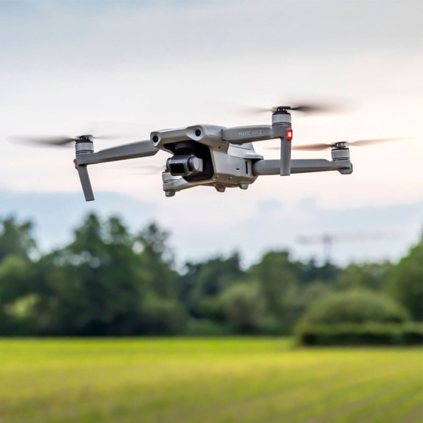
Right off after getting your first drone, you need to figure out how you are going to edit all the drone footage you capture. You need to understand how to edit your drone footage in such a way that it tells a compelling story.
Just so you know, you do not need to be an expert editor when it comes to editing videos with your drones. You can start with basic editing skills and work yourself up to become a pro at what you do. In this post, we would be sharing some editing tips for drone videos. But in case you need more tips, you can sign up for our drone editing class.
-
Tell a story with your footage

Before and throughout your flight, if you plan to record footage, think about the tale you want to tell. While you are in the air, you might see something that piques your curiosity enough to cause you to fly in its direction. Push the controls gently to yaw and approach more purposefully than pitching full speed forward to gain a better look.
No matter how basic it looks, this moment could lead to the topic of your story. To show your subject's surroundings, fly around it, move to the left or right, or reverse back. You can use your drone to do any of these various moves to capture your subject and then mix them to convey your story.
-
Make use of aerial cinematography techniques
Aerial cinematography is all about flying your drone in ways that produce interesting video, despite the fact that it may sound hard. Videos made from uninteresting video footage will also be boring, which is why you need drone shots to spice things up.

Remarkable cameras and technology in today's drones can help you as a drone pilot concentrate on the flight controls while developing your camera-setting skills. Set your camera to auto-exposure and take off while honing some crucial aerial skills that will improve your film.
To add additional dynamic motion visual interest to your film, practice multi-axis flight maneuvers by mixing various flight movements. The camera can be moved up, down, forward, side to side, pan, and tilted.
Combining these settings can enrich a scene and add additional motion to keep the audience interested. These key combination movements are provided for you to practice and include into your flights. To prevent any potential collision concerns, it is always a good idea to practice these movements in an open area if you are unfamiliar with them.
-
Choose the right music and sound
After learning certain drone flying techniques to record captivating films, you should also incorporate other elements to produce your finished product. These elements to a successful video are music and sounds.

Due to the noisy buzzing of the propellers, the majority of drones with built-in cameras do not record sound while in flight. As a result, you must include noises or a music track in your video to help your viewer understand your message.
Choosing the ideal song may take some time because music itself has the ability to tell a story. Fortunately, there are many options to choose from while looking for the ideal music.
The music you choose depends on how you intend to utilize or distribute your video. Free music may be required to use on social media sites like Facebook and YouTube.
If you intend to post your movie on these platforms, you must use royalty-free music and sound effects, otherwise you risk being alerted to a license issue. Once you've chosen your music, it's time to put it together with your video clips to tell your story.
-
Develop a workflow
-
You should review and edit your drone footage to only keep the best segments. Finding a 5–10 second stretch of a smooth flight pattern where your topic is sharply focused and well-framed is what I mean by this.
-
Put the videos in the timeline order that best tells your tale. In comparison to the final video, these segments will contain additional footage.
-
Add the music you want to use to your timeline after choosing it. Your video segments will now significantly outlast the conclusion of your music track.
-
To construct the transitions between each clip, further edit your clips to match the beats and rhythm of your song. Watch and listen from the start of your timeline until the first transition or break-point, then cut your clip to match.
-
Once you've edited the video timeline to match the beginning and finish of the music timeline, repeat these steps for each additional video clip.
-
Once you are comfortable with the narrative you are attempting to convey, go back over each clip and make necessary color or exposure tweaks to ensure that the overall aesthetic of the video is maintained.
-
Go back and add any effects, titles, or other graphics you may desire before exporting your finished project.
-
Use transitions to help tell your story
When editing, keep the narrative flow in mind. Since it involves the end-to-end process from beginning to end, thinking this way could take some getting used to and a few films to get the feel of. Transitions are simply the means through which any two clips are combined in your narrative. Transitions in visual terms might be smooth or focused on showing the observer something new. Transitions can signify a shift in the subject or the passage of time.

Between clips, seamless transitions can change the subject's focus, allowing viewers to see it from several perspectives. Each motion draws attention to a fresh viewpoint or standpoint. Use movement to emphasize your subject in each clip in a different way.
Use the fluid movements of drones—one of their best features—to attract your audience by combining clips in real time. Create a scene using related videos of your subject by using those moves.
Conclusion
With these drone video editing tips you can create the perfect video to impress your audience. However, you need to give yourself time as a novice as you need to remember that it takes time to master a craft.
Enroll in our drone classes if you're seeking for further editing tips for drone videos. We give you all the information you require, from selecting the appropriate equipment to producing the ideal video.